In a world where mobile applications are expected to do more, feel smoother, and respond faster than ever, traditional single-mode media apps are starting to show their limits. Users no longer want to jump between platforms to watch, listen to, edit, and share content—they want one intelligent, unified experience. This is where the DualMedia Mobile Application steps in, redefining how multimedia is created, consumed, and shared on mobile devices.
What is the DualMedia Mobile Application?
DualMedia is a multimedia mobile application that allows users to create, view, and interact with dual media content simultaneously. Unlike traditional apps that focus on one type of media at a time, DualMedia enables users to combine different media formats—such as video with images, audio with slides, or two videos at once—within a single interface.
This dual-display concept opens new possibilities for storytelling, education, social engagement, and professional content creation.
The application integrates media editing, synchronization, real-time streaming, and social sharing features, making it a comprehensive multimedia platform.
Why Traditional Multimedia Apps Fall Short
Most existing multimedia applications are built with a linear mindset: one primary media type supported by secondary features. Video apps focus on video, music apps focus on audio, and editing apps often silo tools into rigid workflows. This fragmentation leads to:
-
Context switching between apps
-
Inconsistent user experiences
-
Limited creative flexibility
-
Higher device resource consumption
DualMedia challenges this approach by treating multimedia as parallel, not sequential.
Key Features of DualMedia
1. Dual Media Viewing
The core feature of the DualMedia app is its ability to display two media sources at the same time. Users can watch two videos simultaneously, view images alongside videos, or listen to audio while viewing presentations.
Benefits:
-
Enhanced multitasking experience
-
Better comparison of media content
-
Improved learning and demonstration capabilities
For example, a user could watch a tutorial video on one side while viewing step-by-step instructions on the other.
2. Dual Content Creation
DualMedia allows creators to produce multi-perspective content. Users can record two video streams simultaneously using the front and rear cameras of their smartphone.
Possible Uses:
-
Reaction videos
-
Interview recordings
-
Educational demonstrations
-
Sports commentary
-
Live event coverage
This feature is particularly useful for content creators, vloggers, educators, and journalists.
3. Integrated Multimedia Editor
The application includes a built-in multimedia editing suite that allows users to edit and synchronize dual media streams easily.
Editing tools include:
-
Video trimming and merging
-
Audio synchronization
-
Split-screen editing
-
Filters and visual effects
-
Text overlays and subtitles
These tools enable users to create professional-quality multimedia content directly from their mobile devices.
4. Real-Time Dual Streaming
DualMedia supports real-time live streaming with multiple media sources. Users can broadcast two streams simultaneously to audiences.
For example:
-
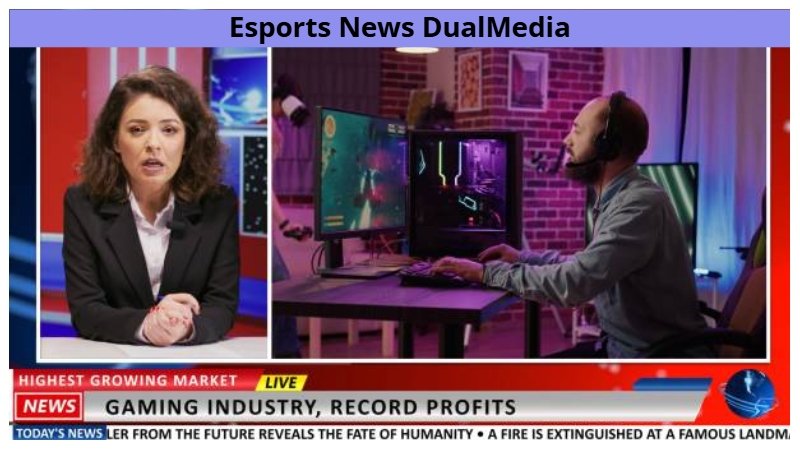
A gamer streaming gameplay alongside their face camera
-
A teacher sharing a presentation while appearing on screen
-
A journalist showing a live scene with commentary
This functionality enhances engagement and viewer interaction.
5. Smart Media Synchronization
DualMedia includes intelligent algorithms that automatically synchronize audio, video, and other media elements.
This ensures:
-
Smooth playback
-
Accurate timing between media streams
-
Seamless transitions between different media types
Smart synchronization reduces the need for manual editing and improves overall content quality.
User Experience and Interface Design
DualMedia is designed with a modern and intuitive interface that prioritizes simplicity without sacrificing functionality.
Key UI elements include:
-
Split-screen viewing layout
-
Drag-and-drop media placement
-
Customizable screen orientation
-
Gesture-based controls
The application adapts to different device sizes, ensuring a smooth experience across smartphones and tablets.
Applications of DualMedia
Education
DualMedia can revolutionize mobile learning by allowing educators to present lectures alongside visual materials.
Examples:
-
Teacher video with presentation slides
-
Demonstration videos with explanations
-
Language lessons with subtitles and pronunciation guides
Content Creation
Content creators can use DualMedia to produce engaging and interactive media.
Examples include:
-
Reaction videos
-
Product reviews
-
Tutorials
-
Podcast recordings with visuals
Marketing and Advertising
Businesses can use DualMedia to create dynamic promotional content.
Examples:
-
Product demonstration videos with live presenter
-
Before-and-after comparisons
-
Interactive brand storytelling
Entertainment
DualMedia enhances entertainment experiences by allowing viewers to watch multiple perspectives simultaneously.
Examples:
-
Sports matches with commentary
-
Movie scenes with behind-the-scenes footage
-
Gaming streams with player reactions
The Technology Behind DualMedia
Modern mobile technologies power DualMedia applications.
-
Cross-platform frameworks for consistent experiences
-
AI-driven media analysis and recommendations
-
Cloud synchronization for seamless device switching
-
Modular architecture for rapid feature expansion
Conclusion
The DualMedia Mobile Application represents a significant step forward in multimedia technology. By enabling users to view, create, and share dual media content simultaneously, the platform introduces new possibilities for creativity, communication, and engagement.
With its powerful features, intuitive interface, and advanced multimedia capabilities, DualMedia has the potential to transform how users interact with digital content. As mobile technology continues to evolve, applications like DualMedia will play a key role in shaping the future of multimedia experiences.
Also Read: DualMedia: What It Is, How It Works, and Why It Matters